

Getting Started
What is AUTO-MAS?
AUTO-MAS is a manager for your scripts. The scripts you would otherwise start one at a time (MAA, for example) get handed to it instead: it swaps account configs for you, launches the scripts in order, and watches their logs to tell a finished run from a hang.
In short, it runs your whole multi-account batch in one go.
AUTO-MAS: Make ALL Scripts Auto
Installation
Download and install
- Go to the download page and get the latest package.
- Install it according to the package type:
- Installer: extract the archive and run
AUTO-MAS-Setup.exe, then follow the installer. - Portable: extract the archive to wherever you want it installed, then run
AUTO-MAS.exeto start the app.
What those words in the filename mean
Some download channels offer several packages. Pick by filename:
| Filename contains | What it means | Pick it when |
|---|---|---|
setup | Installer, run it and follow the prompts | You want the installer to handle the install location for you |
no setup | Portable, extract and run | You want to choose where it goes, or move the whole folder later |
full | Dependencies already bundled | Your connection is slow and you would rather not wait on first launch |
lite | Downloads dependencies on first launch | You want a smaller download |
Add it to your antivirus allowlist (important, don't skip this)
Automation scripts click constantly and read and write config files, so antivirus software easily mistakes them for malware and deletes them. Before your first run, add the AUTO-MAS install directory and each script's install directory to Windows Defender exclusions. If you use third-party antivirus software, add them to its trusted list too.
Here is how to add Windows Defender exclusions:
Quick link: Windows Security
If you have another antivirus program installed, turn on Periodic scanning first.
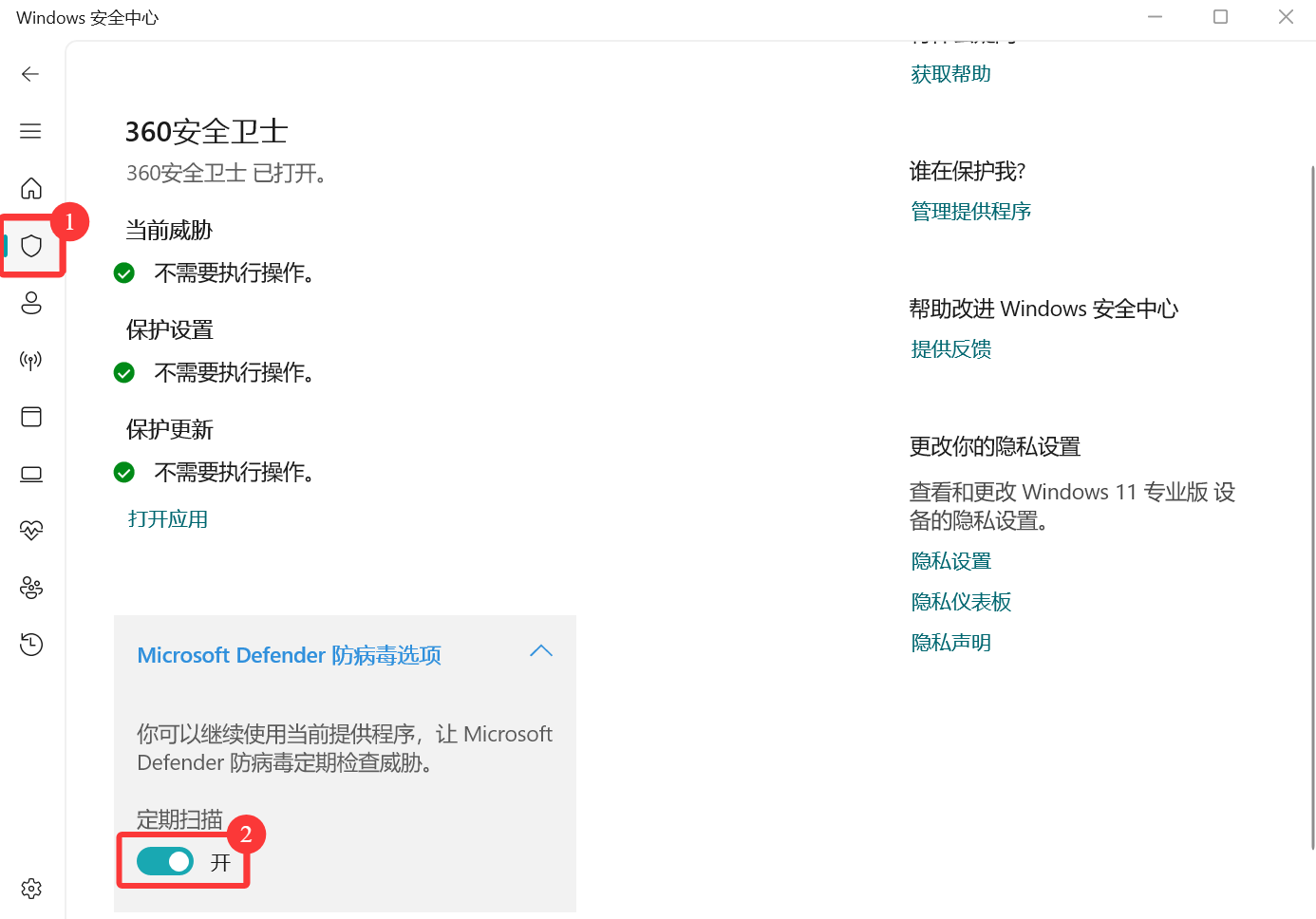
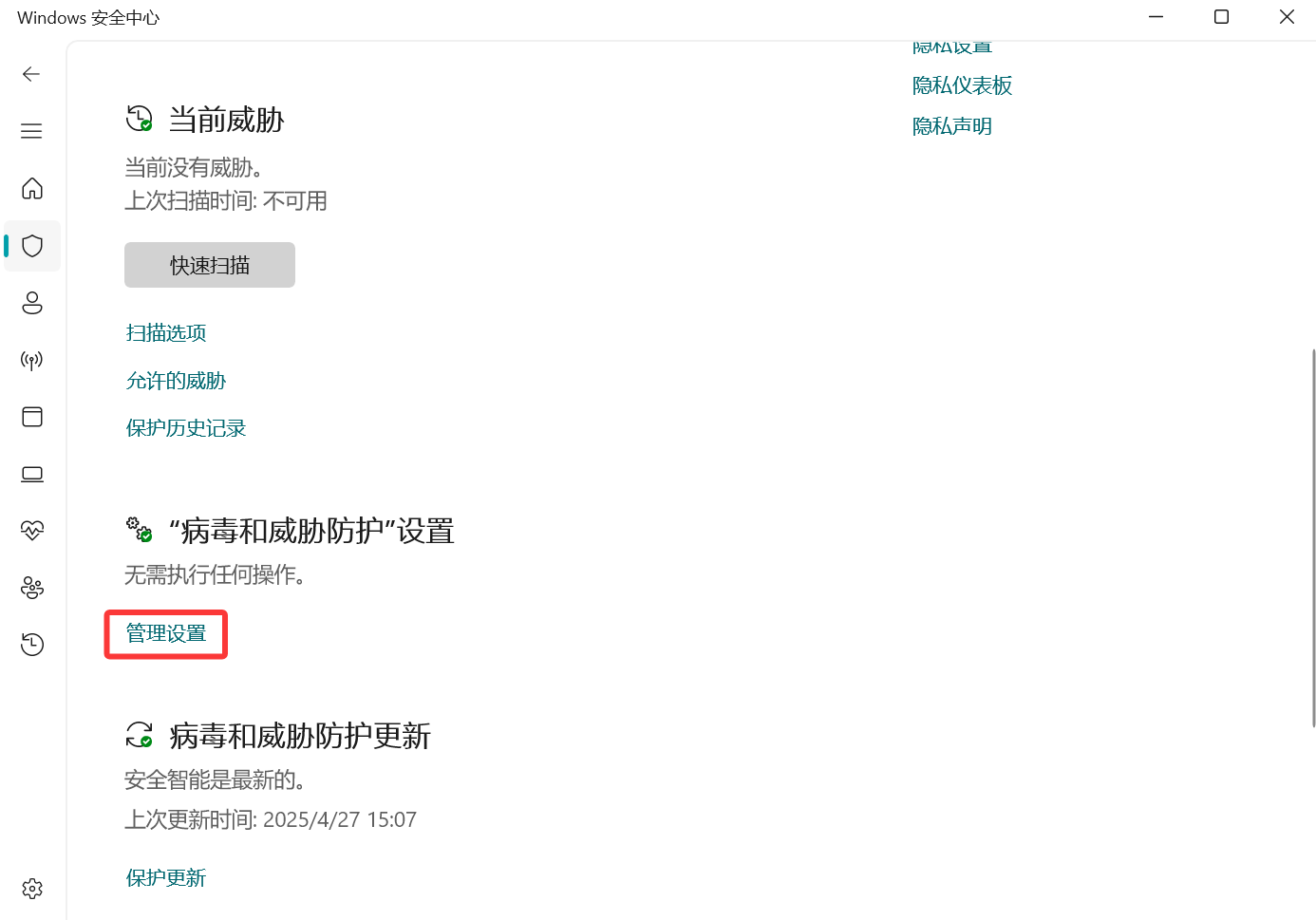
Virus & threat protection settings > Manage settings
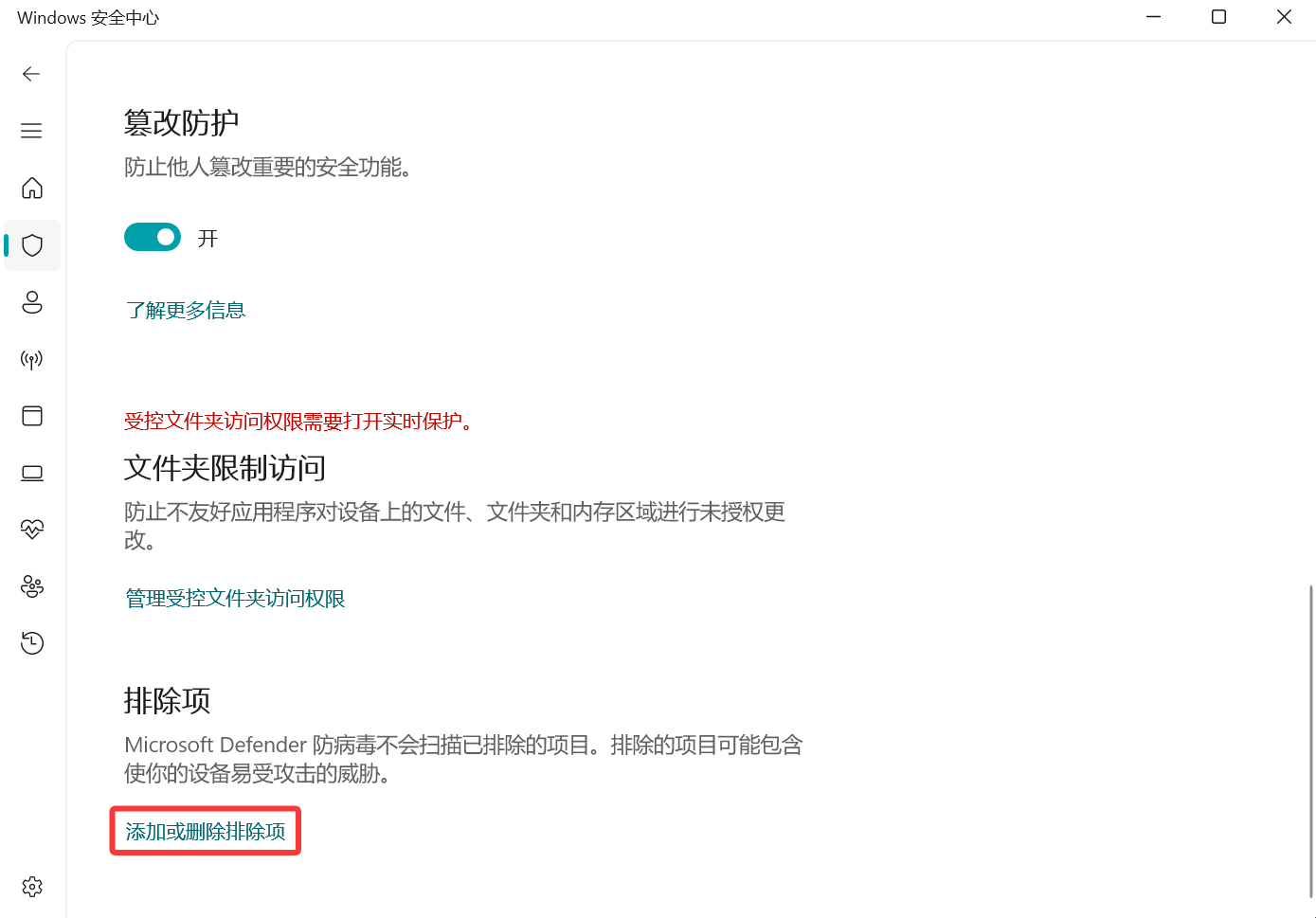
Exclusions > Add or remove exclusions
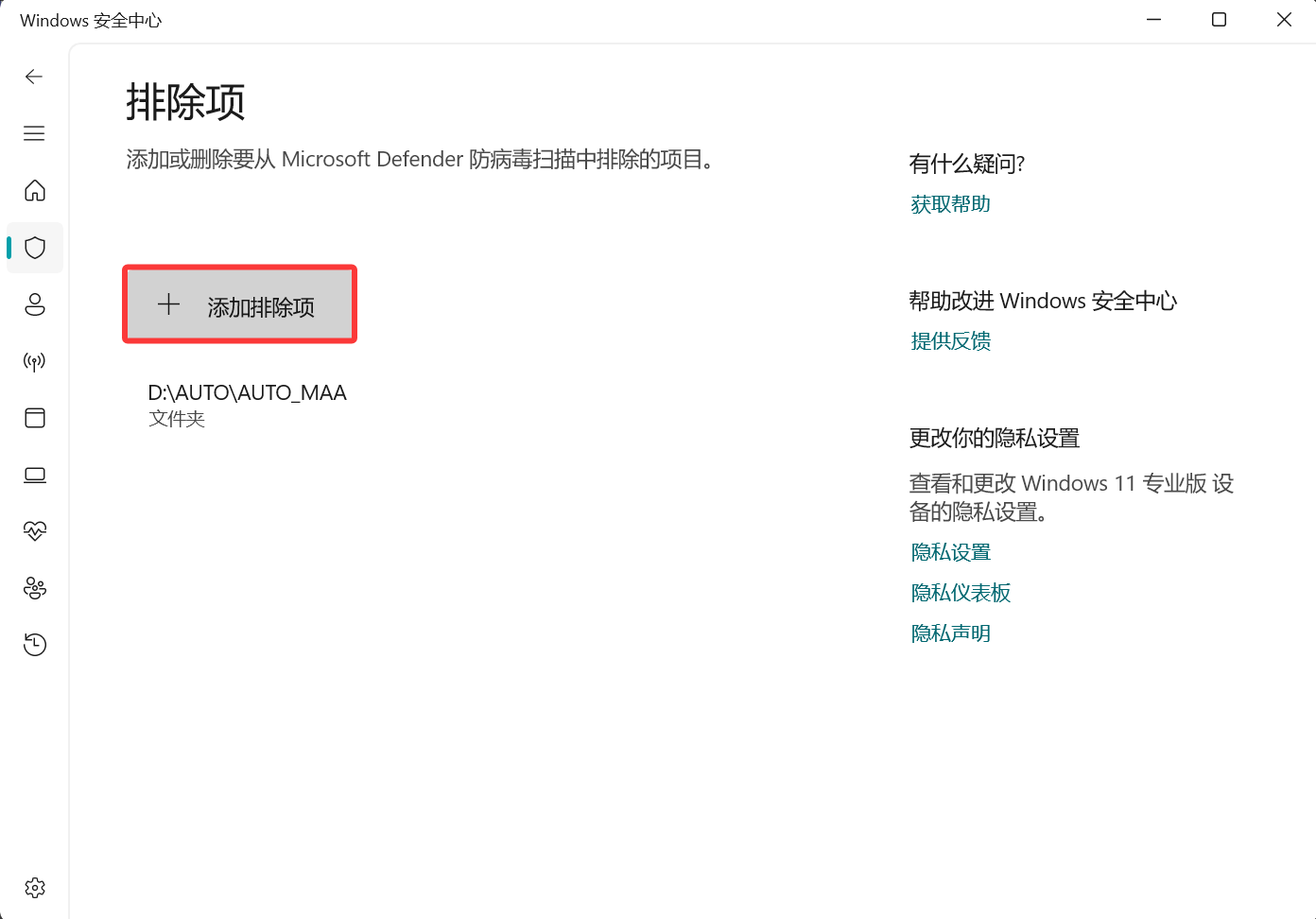
Add an exclusion > Select the matching directory
If you have another antivirus program installed, turn Periodic scanning back off.
That one surely doesn't need a screenshot.
Do this even if you already have another antivirus
Even with another antivirus program installed, Windows Defender can still switch its real-time protection back on by itself, and then your AUTO-MAS.exe or one of your script executables quietly disappears. So the directories above have to be excluded in Defender.
First launch
The first launch takes a while: AUTO-MAS is downloading the dependencies it needs and updating the backend code to the latest version. Let it finish.
After that, if Settings -> Update Configuration -> Automatically check for updates is on, it checks again on every start. Fixes usually ship through the backend first, so when something breaks, restarting the app has often already fixed it. Try that first.
What to configure next
Almost every setting in the app comes with a note next to it. Work through each page top to bottom and you are basically done. If you get stuck, come back to the matching section of these docs.
Two things worth remembering for when something goes wrong:
- To back up or move your configuration: copy the
dataandconfigfolders (configuration) and thehistoryfolder (run history) from the install directory. That is all you need. - To report an error to the developers: the logs are at
debug/app.log(backend) anddebug/frontend.log(interface) in the install directory. Attach both when you ask, and you save a round trip.