

Task Management
Scheduling Queues
A scheduling queue is a to-do list: you put the scripts you want to run into it in order, and AUTO-MAS works down the list one script at a time. You can also have it start running when the app launches, or at set times.
Two things to get straight first
Scripts in a queue run one after another. The next one starts only after the previous one finishes. If you see several scripts running at the same time, check your general script settings.
A queue can have several scheduled times, but those times don't belong to individual scripts. At each scheduled time, the whole queue runs from the top. They are not "run script A at this time, script B at that time".
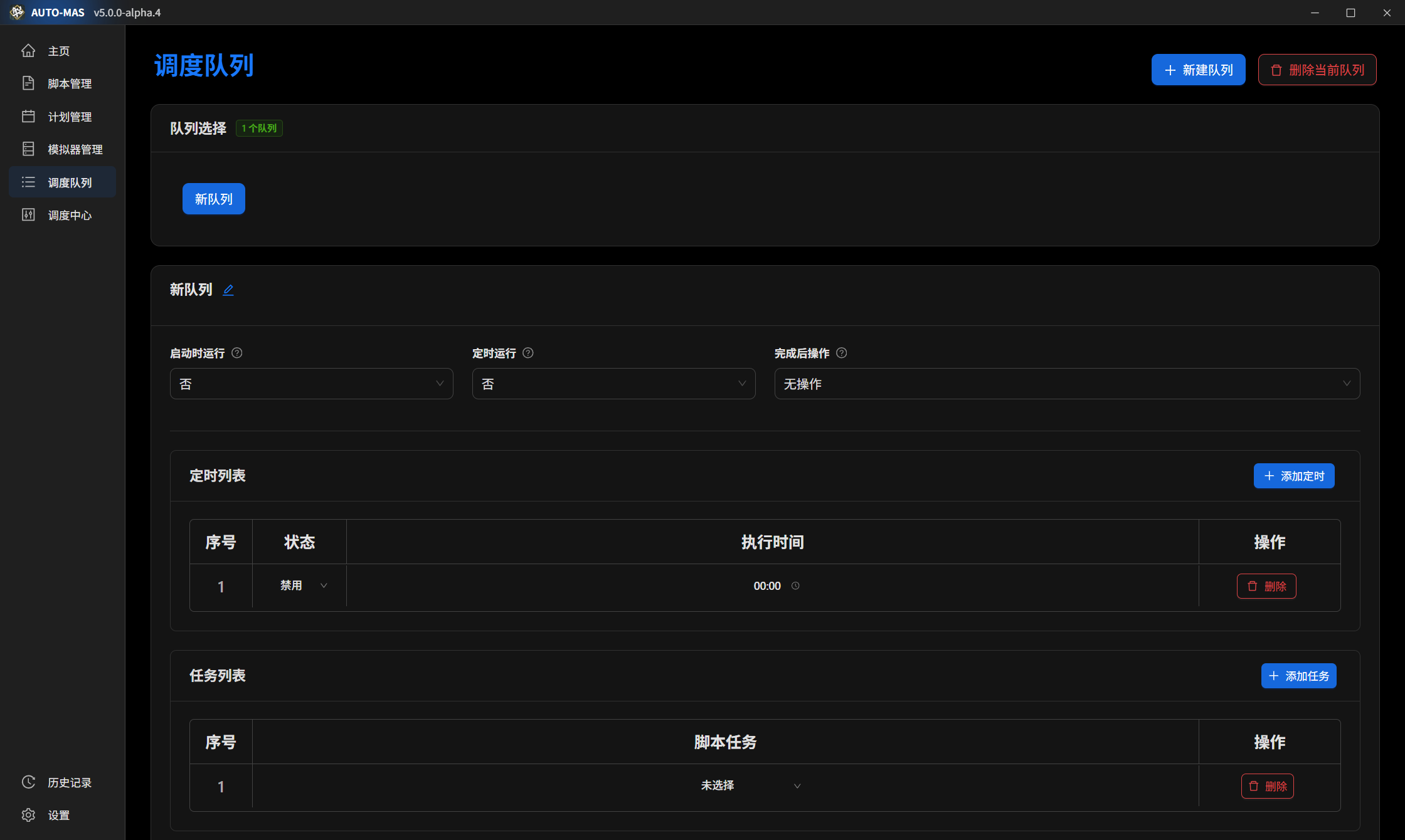
Usage
- Click New Queue in the upper-right corner.
- Turn on Run on startup or Scheduled run as needed.
- Click Add schedule and set the time. Remember to switch the scheduled run status to Enabled, or it won't fire.
- Click Add task and add scripts you have already configured to the queue. If there's nothing to choose from here, you haven't configured any scripts yet. Start with Script Configuration.
Three common setups
- Run everything at boot: set AUTO-MAS to start with Windows and enable Run on startup on the queue. It finishes the batch after boot with nothing from you.
- Run at set times: if your computer stays on, use Scheduled run to pick a few times for it to run on its own.
- Pair with MAA custom infrastructure: schedule MAA to start shortly before an infrastructure layout takes effect, so MAA swaps the shift over while it's there.
Run order in auto-proxy mode
In auto-proxy mode, tasks are nested like this:
- One user = all the tasks that user has selected. For MAA scripts, a user's tasks split into Annihilation and Daily, with Annihilation first; script mode has Daily on by default.
- One script = the tasks of all users under it, run in the order the users appear in the list. The same script can't run twice at once. If it's already running, starting it again is skipped.
- One queue = the tasks of all scripts in the queue, run in queue order. The same queue can be started more than once.
- One scheduler console runs one queue at a time. To run several queues in parallel, open more consoles.
Manual Review
The batch has finished, but you want to see with your own eyes whether each account really got everything done. That's what manual review is for: AUTO-MAS logs in to each account in turn, you take a look, and it records the result.
Only MAA is supported for now
Other scripts aren't supported yet.
- Select Manual review mode and click Start task.
- The app starts MAA and logs in to each account in order.
- After each PRTS login finishes, check that account's run yourself and manually confirm anything that didn't get done.
- When the review ends, the results are recorded in the status information on the User Management page.