

March7thAssistant User Guide
Schedule March7thAssistant in AUTO-MAS
What is March7thAssistant?
March7thAssistant is a third-party tool for Honkai: Star Rail. It can handle repetitive tasks such as daily automation and Divergent Universe.
For more information, see:



Install March7thAssistant
- Download the archive from
March7thAssistant Website
,March7thAssistant Repository
, orMirrorChyan
. - Extract the March7thAssistant archive to any folder.
Don't Unpack Into a Non-English Path
Keep March7thAssistant, and any other general script, out of folders with non-ASCII characters in the name, such as D:\脚本\. Those paths cause failures that are hard to diagnose. Use a plain English path like D:\M7A.
Configure the Script Instance
Open
March7th Launcher.exe, read and close the default March7thAssistant announcement.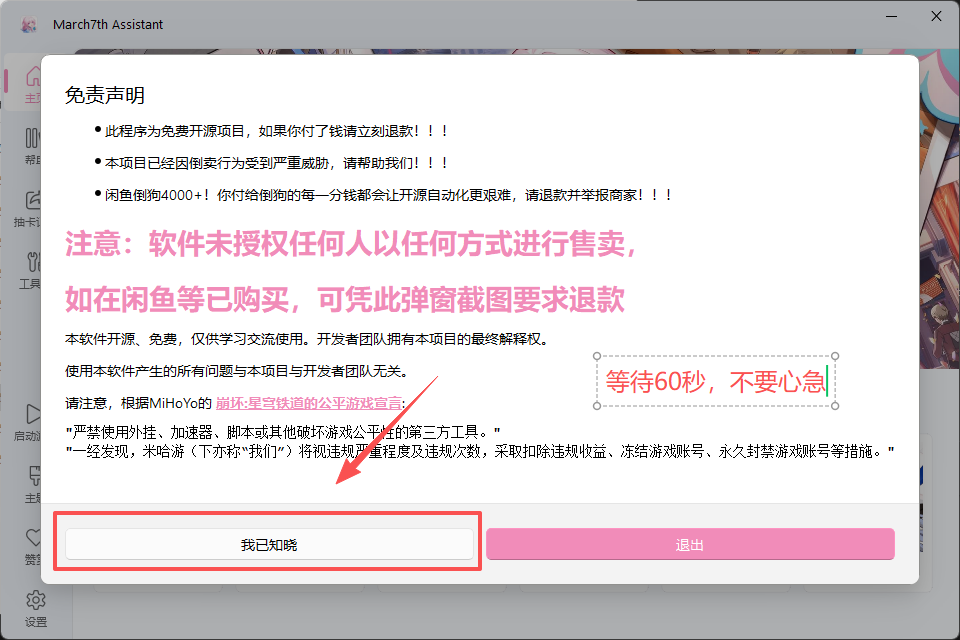
Close March7thAssistant, open AUTO-MAS, go to Script Management, click New Script, and select General Script to add a script instance management page.

In the popup, select Create from template, then click OK.

In the new window, find and select March7thAssistant general template reference, then click Use this template.
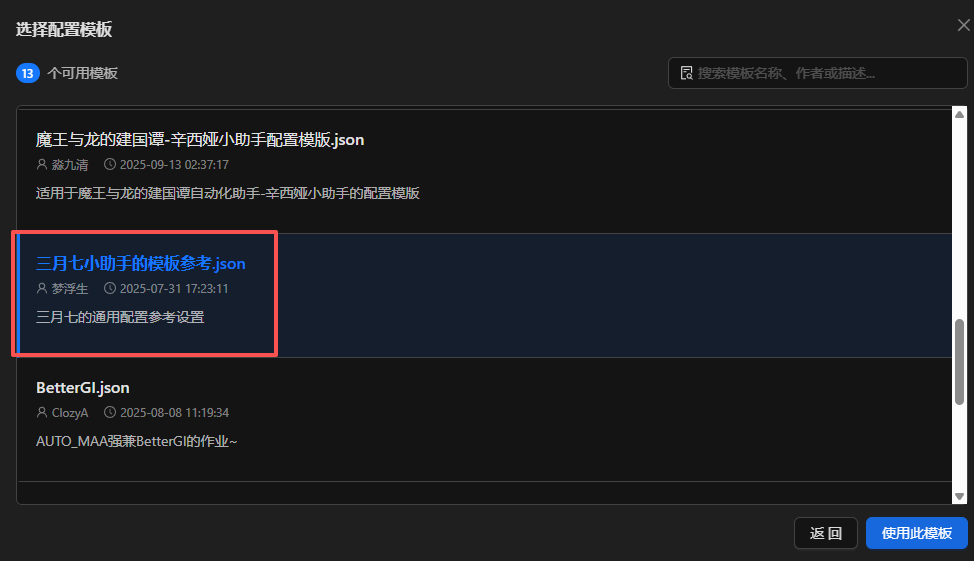
The script configuration opens shortly: 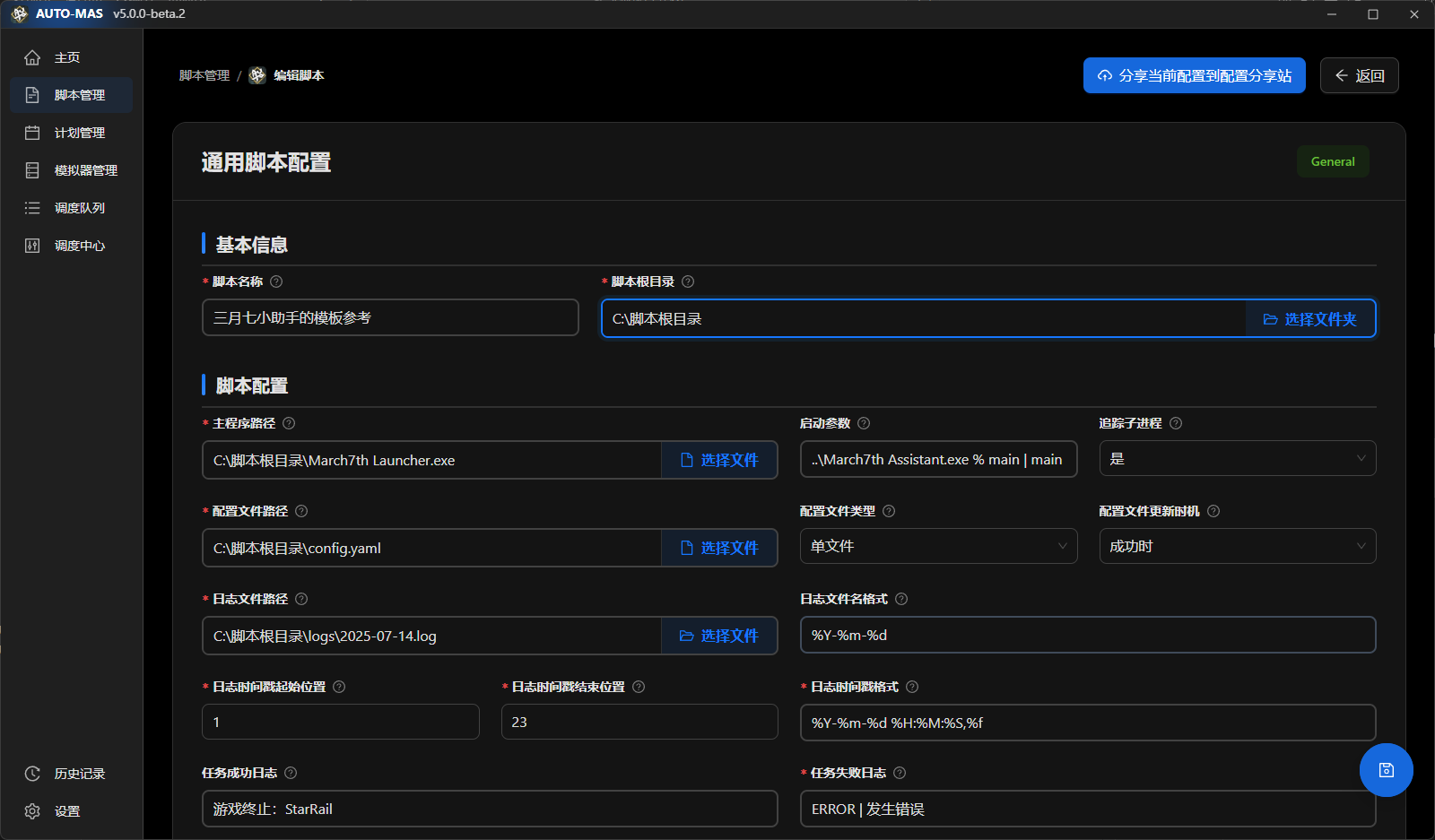
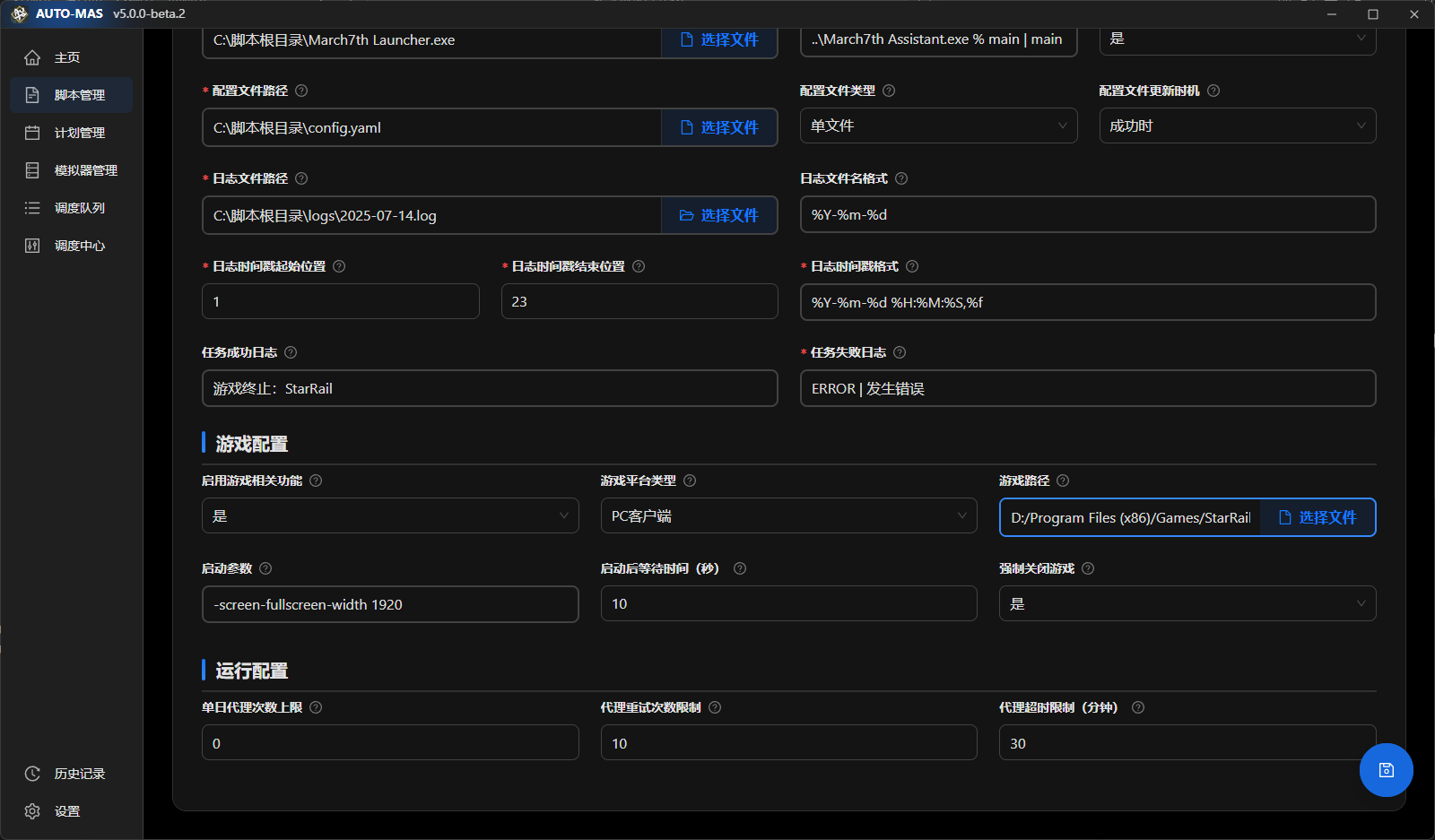
- In the opened script configuration, click Select folder for Script root directory, then open the March7thAssistant software directory.
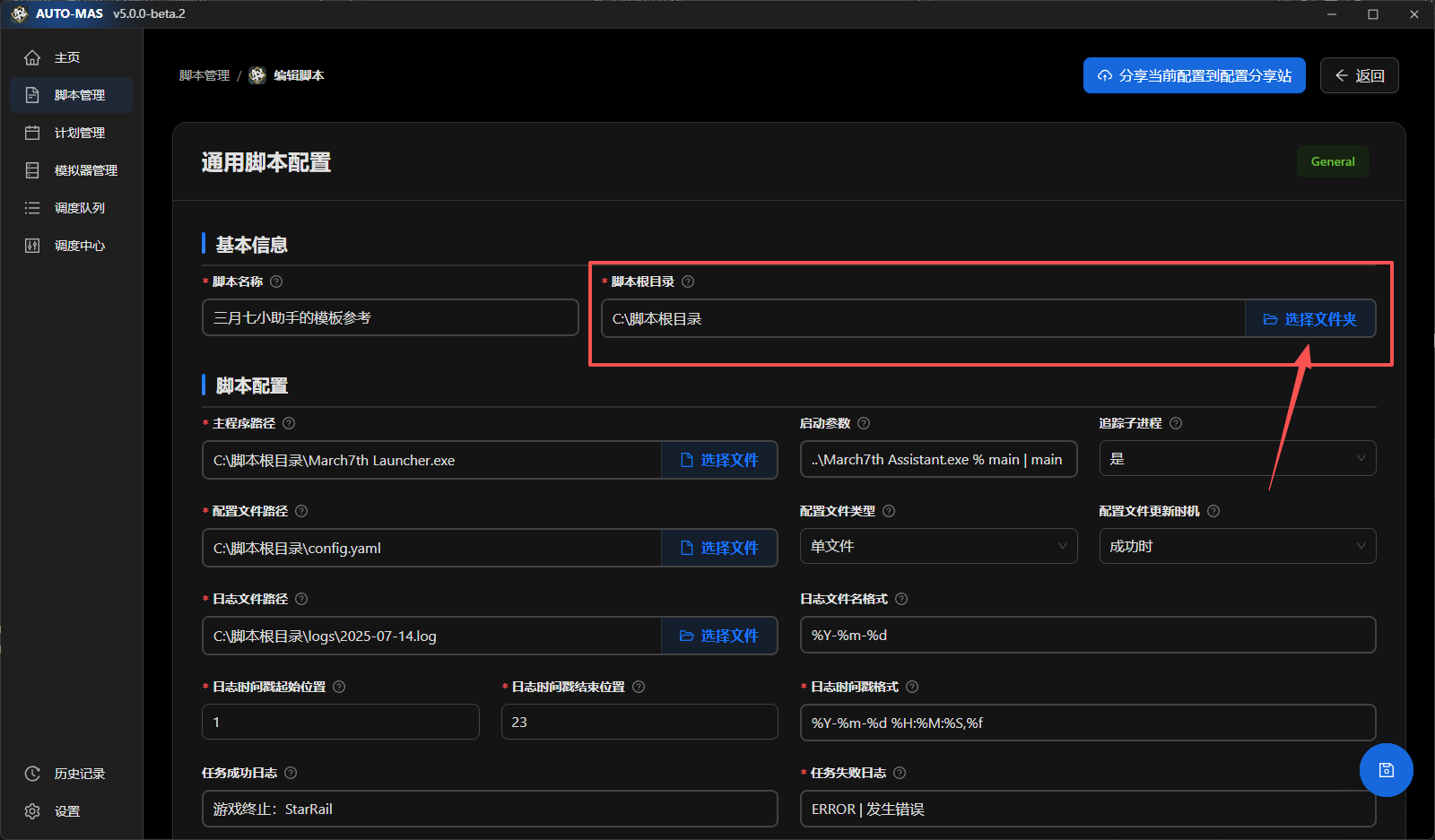
Don't Edit the Paths Below by Hand
Once you pick the script root directory, the paths under script configuration are filled in automatically by the template. Leave them alone unless you know what each one does. Wrong values break automation in confusing ways.
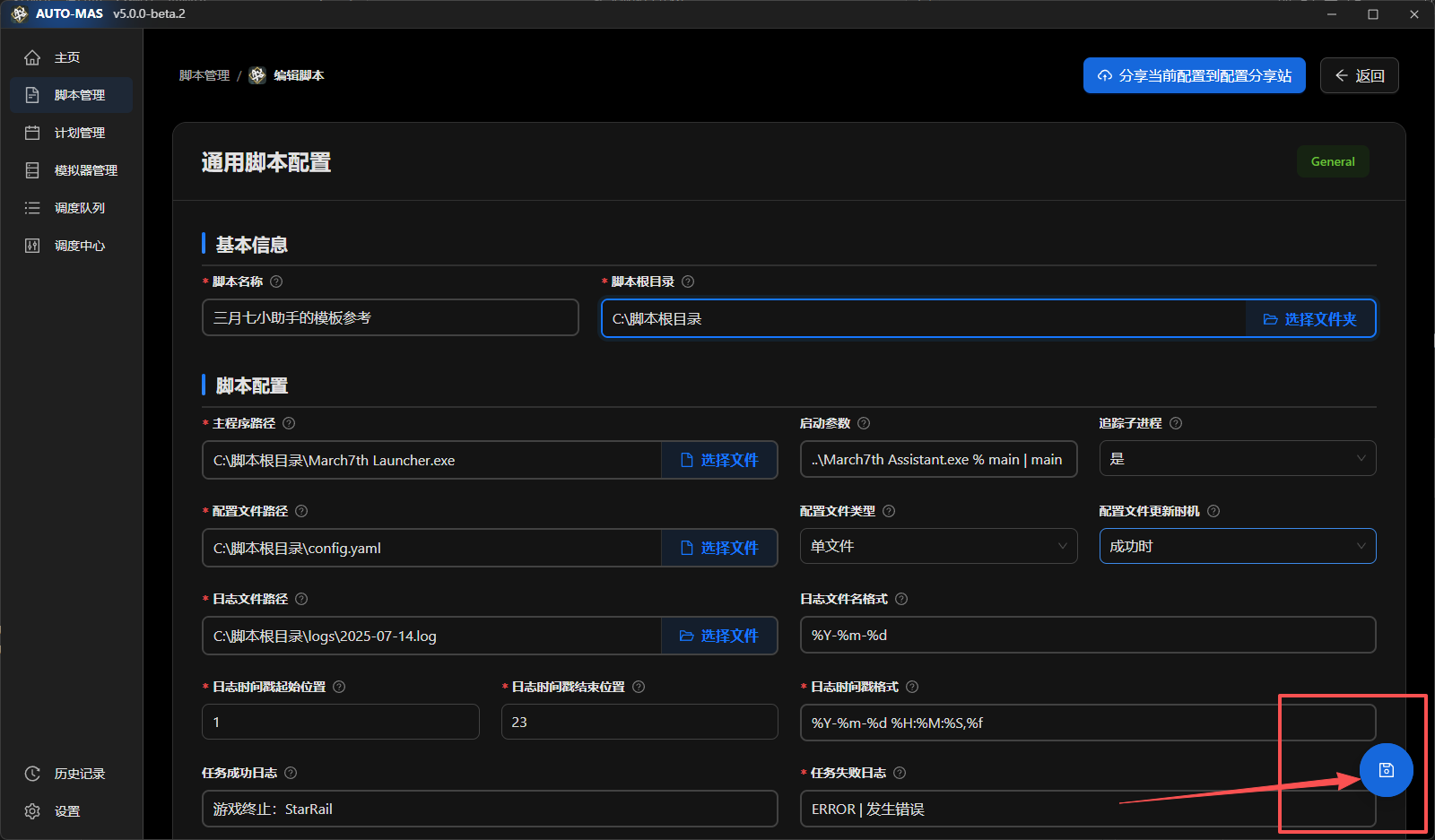
After selecting the March7thAssistant directory, the script configuration path is corrected automatically and does not need manual selection. Click the save button in the lower-right corner.
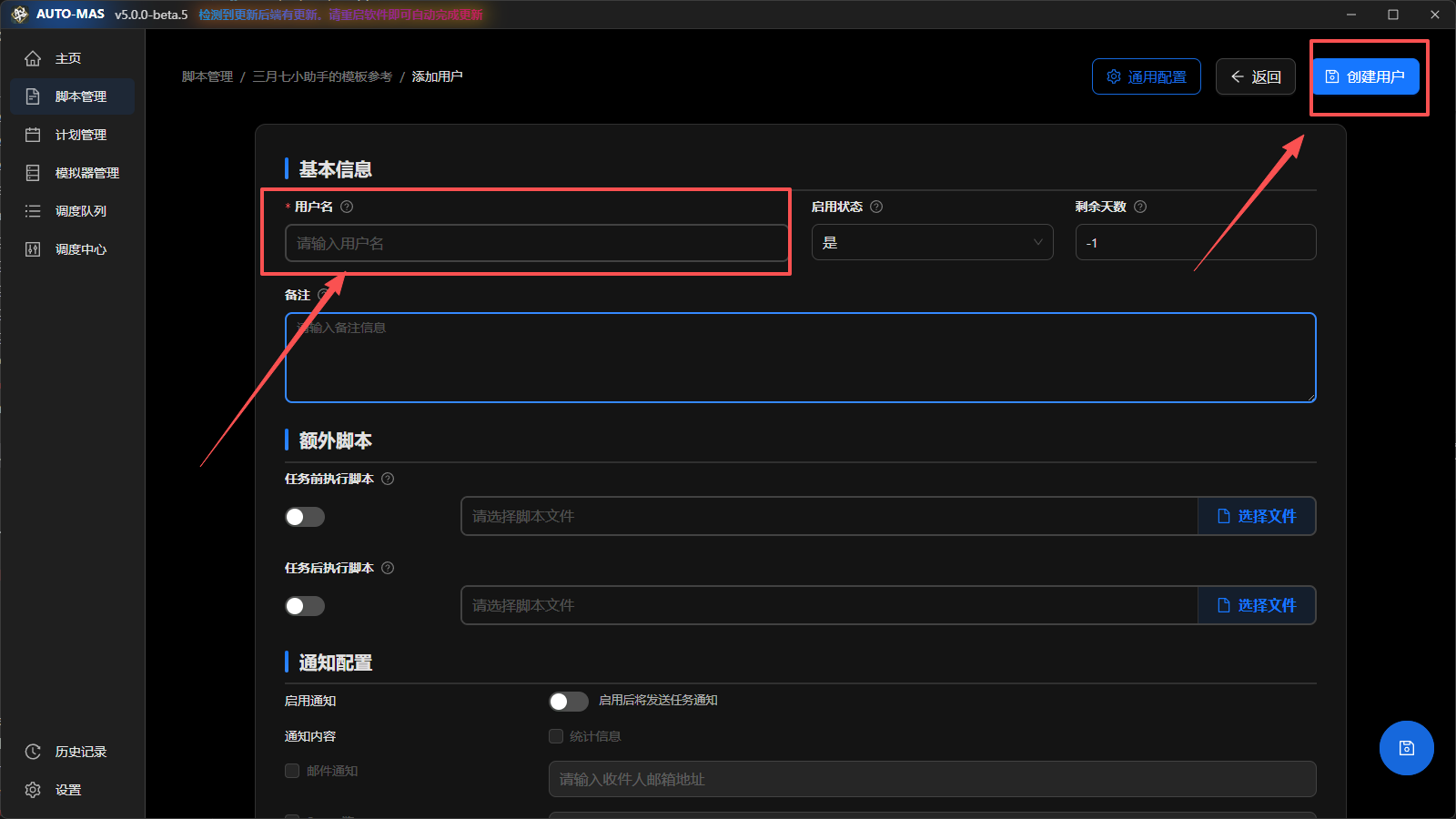
Click Add user, give the user a name in the username field, then click Create user in the upper-right corner.
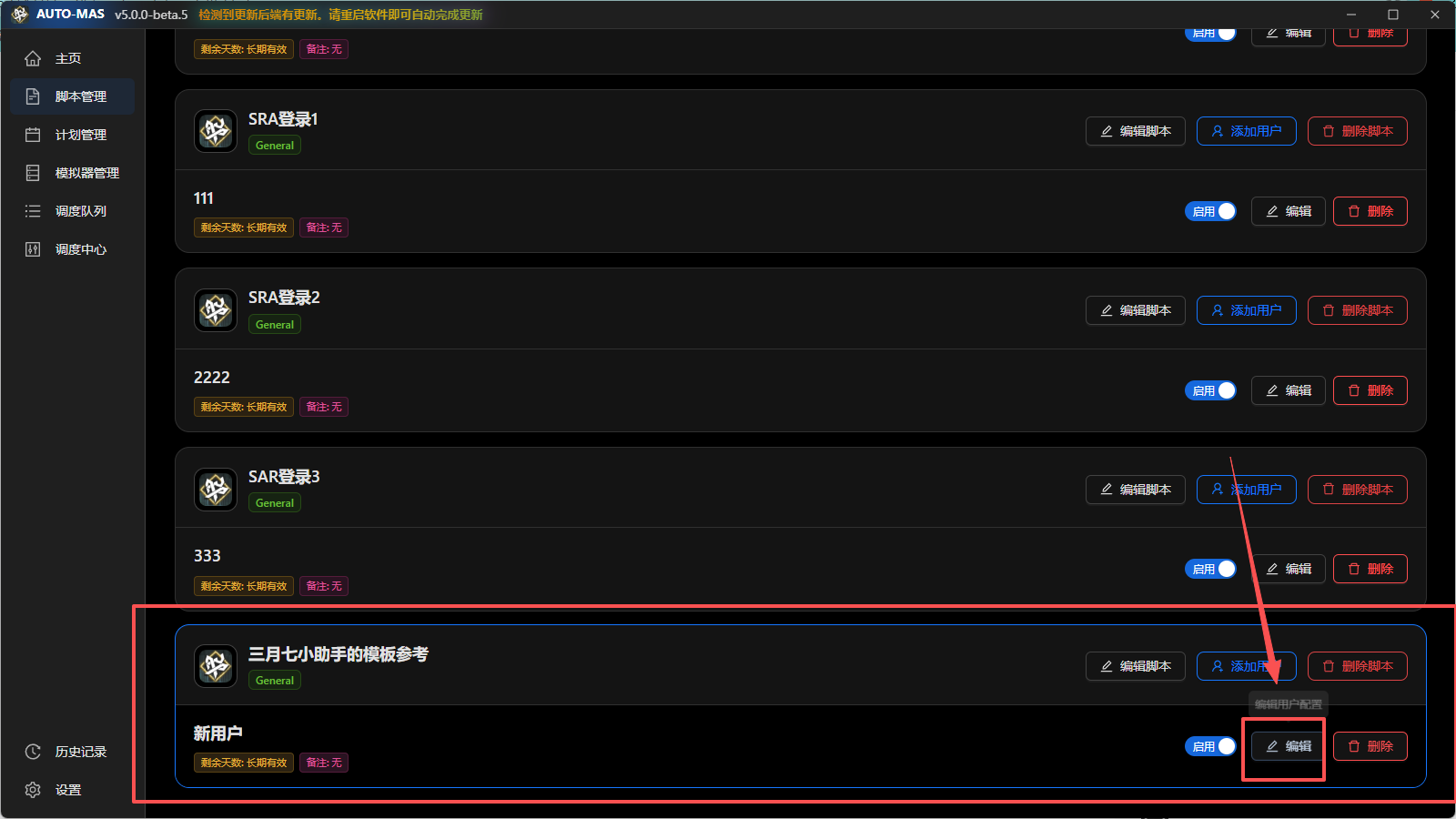
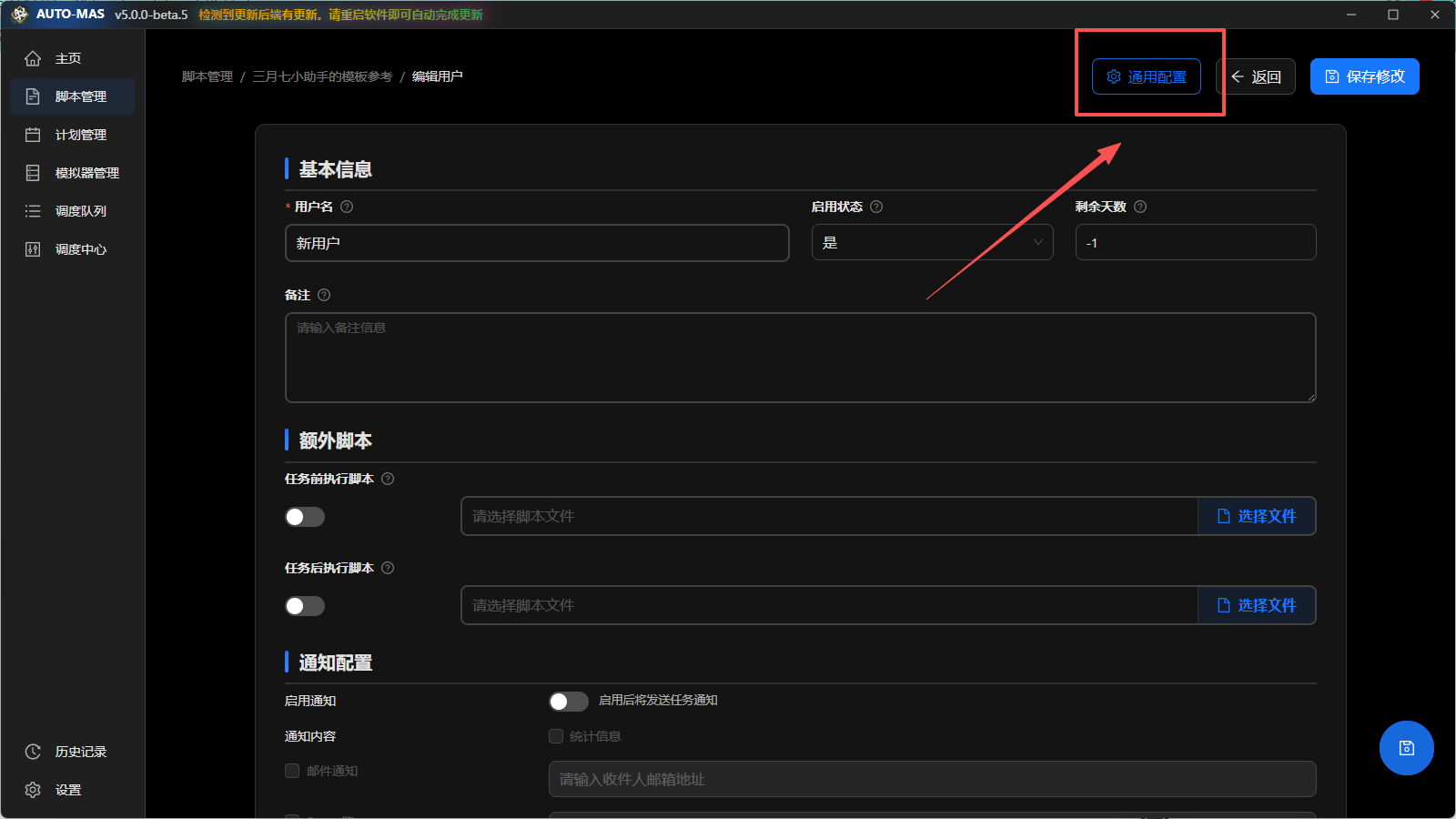
Find the user you just created, click Edit, and enter the General Script configuration page.
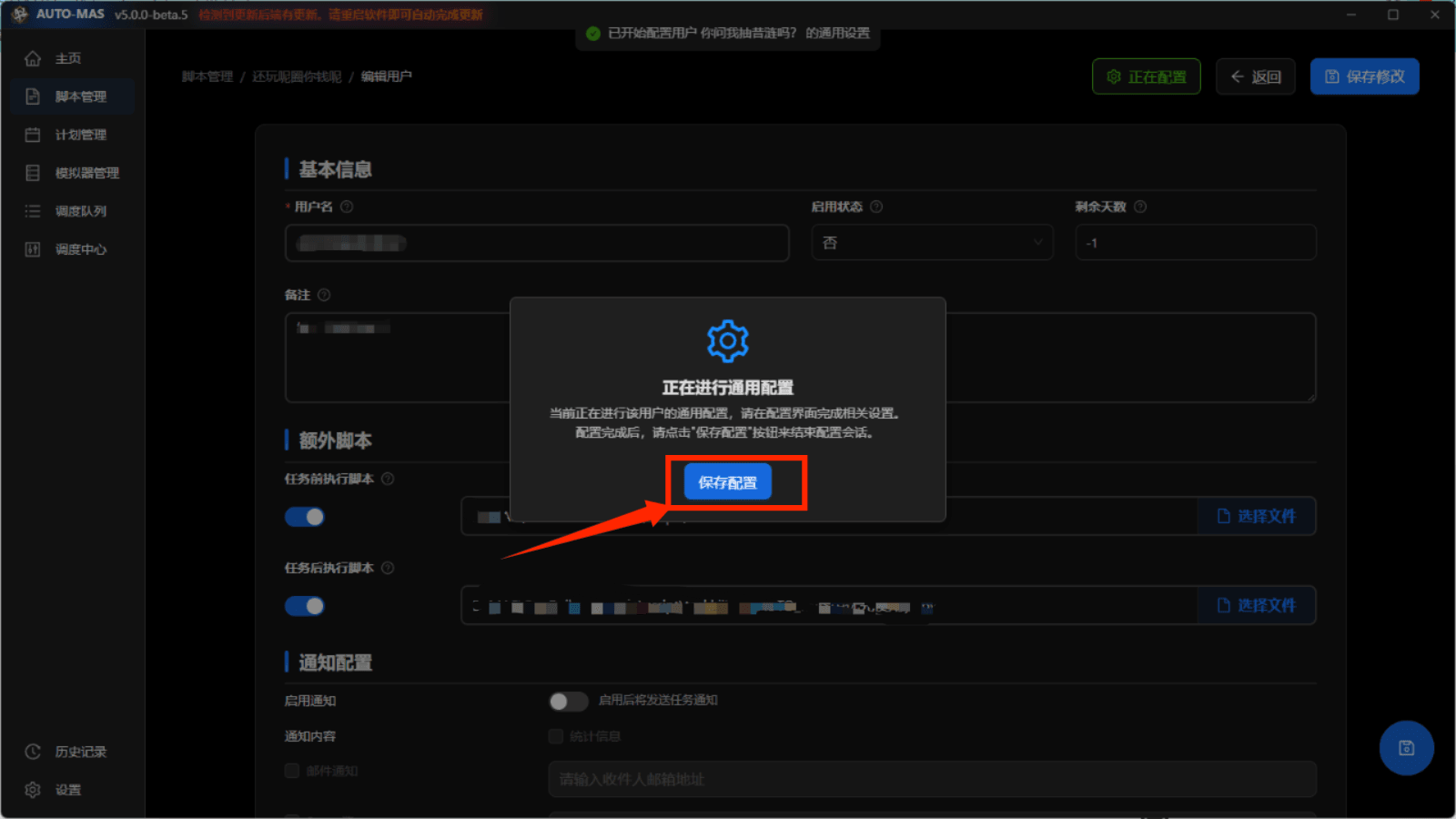
Find General Configuration in the upper-right corner and click it. When the general script configuration screen appears and March7thAssistant is launched, the general script can be configured normally.
After configuring March7thAssistant, click Save Configuration, then click Save Changes again. March7thAssistant is now fully configured in MAS.
To start March7thAssistant automatically on a schedule, read Scheduling Queues.
Need account switching right now? Try StarRailAutoLogin: an automatic Honkai: Star Rail login script used in AUTO-MAS.
More content may be added later.