

MaaEnd Configuration Guide
What is MaaEnd?
MaaEnd is a third-party automation tool for Arknights: Endfield. Based on visual AI technology, it can automatically complete repetitive daily tasks such as Protocol Space.
For more information, see:


Install MaaEnd
- Download the archive from
MaaEnd Website
orMaaEnd Repository
. - Extract the MaaEnd archive to any folder.
Two Places Not to Extract It
- Not into a path with non-ASCII characters in it. Those paths cause failures that are hard to diagnose. Use a plain English path like
D:\MaaEnd. - Not inside the AUTO-MAS root directory. Like other scripts, anything in there risks being deleted by accident.
Configure the Script
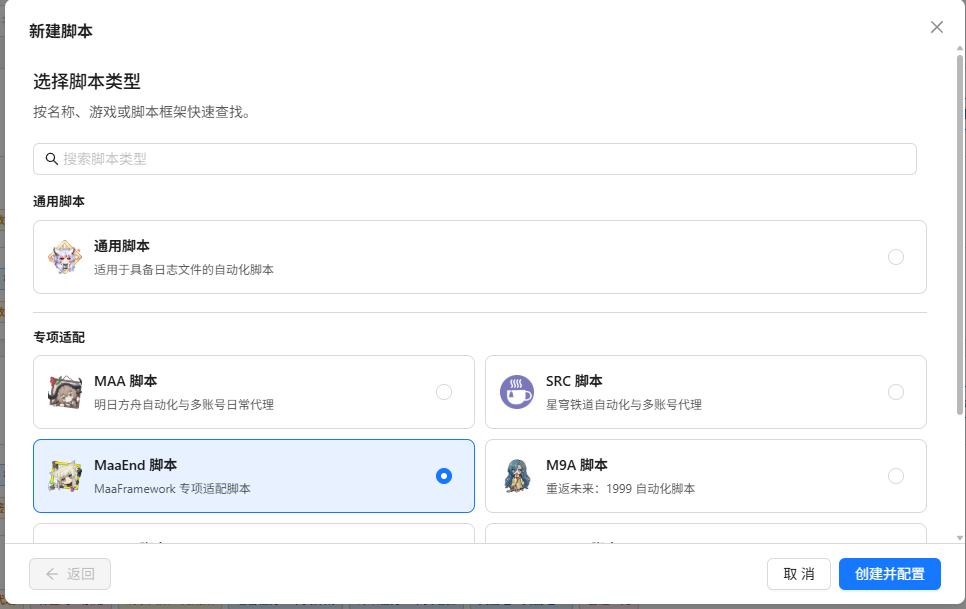
Go to Script Management, click New Script, and select MaaEnd Script.
In the opened script configuration, click Select folder for MaaEnd path, then open the directory where MaaEnd is located.
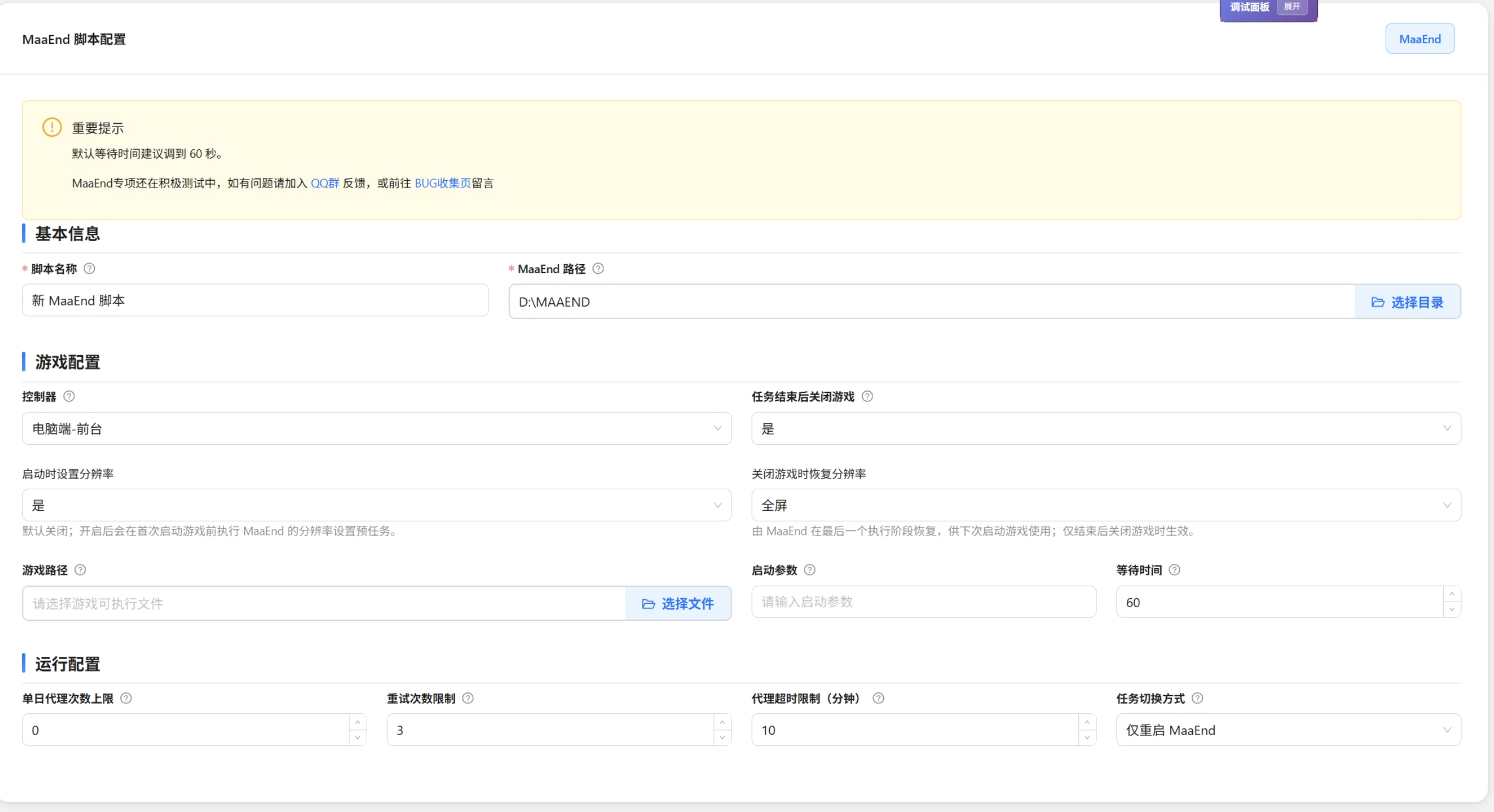
Adjust the following configuration as needed:
Configuration What to enter Controller type PC client or emulator. The PC client is recommended. What you pick here overrides the setting inside MaaEnd. Game path (PC) Pick Endfield.exe, not the Hypergryph launcherGame launch arguments (PC) Leave empty Wait time after game startup (PC) How many seconds to wait after launching the game before automation starts. Default is 60. Close game after task completion Whether to close the game automatically once every user has finished Proxy timeout limit How many minutes without log activity counts as a hang. Default is 10. Daily proxy count limit Maximum runs per user per day. 0means unlimited.Maximum retry count per run How many times to retry after a failure. Default is 3. Click Save Configuration.
Using an Emulator? Check the Version First
Two prerequisites when you set the controller type to emulator (ADB):
- Configure the emulator under Emulator Management first, or it won't connect.
- MaaEnd must be v5.4.0 or the public beta. Upstream MFW changed its naming rules, and older versions won't receive the emulator parameters AUTO-MAS passes them.
Configure Users
In the script table under Script Management, click Add user to add a user.
Fill in user information according to the hints on the settings card.
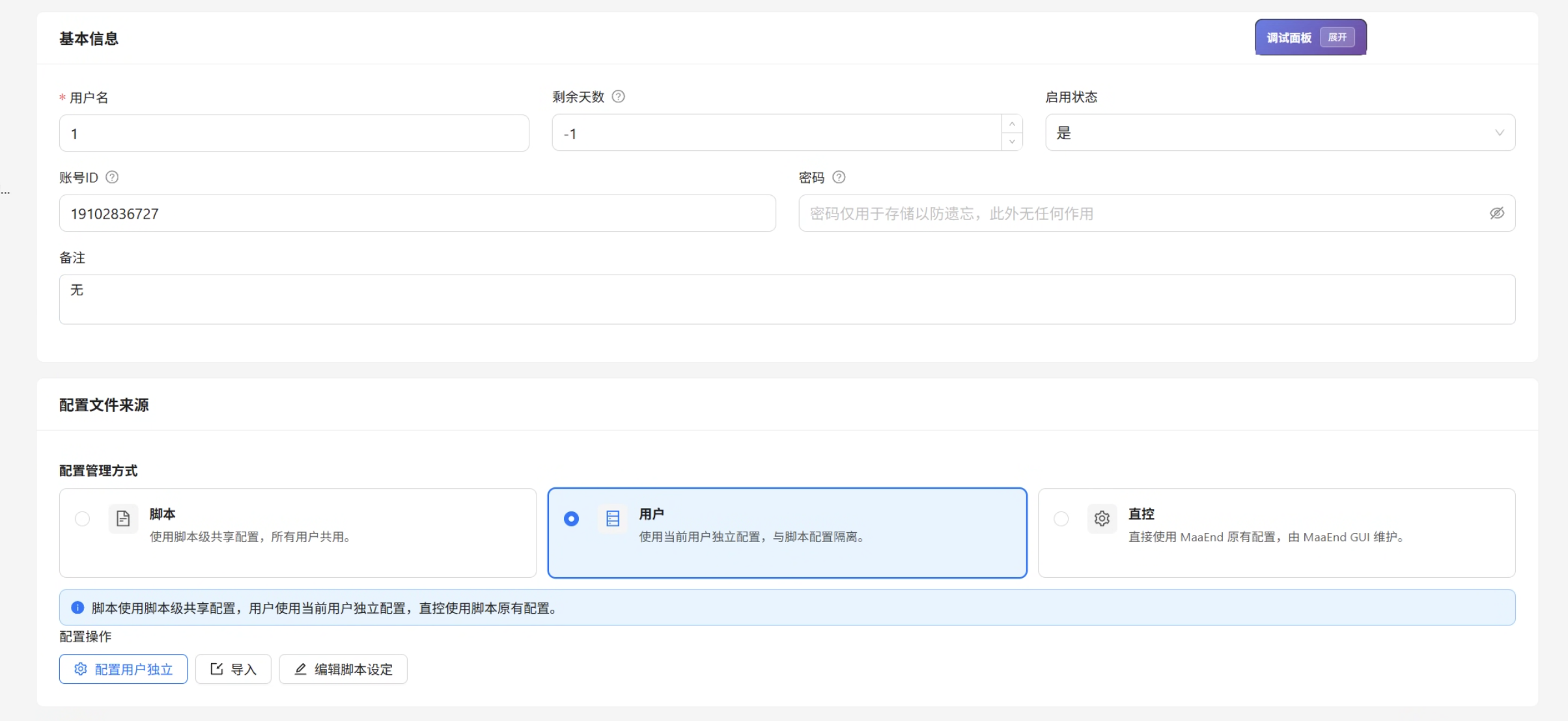
User Configuration Fields
Basic Information
| Configuration | What to enter |
|---|---|
| Username | A display name you'll recognize |
| Enabled status | Disabled users are skipped |
| Account ID | Endfield login phone number, 11 digits. Leave it empty to skip switching and use whichever account is already logged in. |
| Password | Has no effect right now. You can leave it empty. |
| Configuration source | Script-level shares one MaaEnd config across all users; User-level gives this user its own |
| Take over specific game configuration | Turn this on to use the task configuration below. Leave it off to run purely from the saved config file. |
| Remaining days | How many days of automation are left. -1 means unlimited. Each successful run subtracts a day; at 0 the user is skipped. |
| Notes | Anything you like |
Task Configuration
AUTO-MAS enables and disables tasks in MaaEnd according to your settings. Tasks your MaaEnd doesn't have are simply skipped — that isn't an error.
Sanity Task Options
These only appear when the sanity task is enabled. They let you change the sanity task settings without opening MaaEnd.

Prefer MAS Built-in Account Switching
Of the two methods, MAS built-in account switching is generally more stable, so try that first. If switching fails, change to MaaEnd account switching — once you do, AUTO-MAS adds the account-switching task for you, so you don't have to add it inside MaaEnd yourself.
Skland Automatic Check-In
This moved to the Game Check-in tool. Configure it there.
Extra Result Notifications
Turn either of these on and the notification carries an extra report:
- Mechanism filtering on the matrix farming task - adds the matrix farming results.
- Gacha count calculation - adds the gacha count results.
FAQ
A run failed partway through
Check whether it was one of these:
- You were using the computer during the run. Foreground mode takes over the mouse completely, so touching the keyboard or mouse interrupts it. If you need the machine while it runs, switch to an emulator.
- You lowered the wait time. Endfield is slow to start. Don't go below the default 60 seconds — if automation begins before the game finishes loading, it will fail.
- Frame interpolation or picture enhancement is on. That breaks MaaEnd's screenshots. Turn it off.
How should I set the resolution?
MaaEnd requires a 16:9 ratio. Note that in fullscreen the actual resolution comes from your monitor settings, so changing it inside the game achieves nothing.
Which exe is the game path?
Endfield.exe, not the Hypergryph launcher. This is the most common mistake.