

Plugin Development
WARNING
The plugin system is still under active development and may change.
This chapter walks you through the standard plugin development workflow.
Tip
Unless explicitly stated otherwise, commands in this section should be run from the application directory with the Python virtual environment activated.
That means the cloned AUTO-MAS/ directory and the .venv you created yourself.
Create a New Plugin
Run the following command in the application directory:
python script/plugin_tool.py [--name <name>] [--description <description>] [--init-git <bool>]If you do not provide parameters, you can fill them in through the interactive command line.
- --name: the plugin package name
- --description: the plugin description, which can be changed later
- --init-git: whether to initialize git
Assume you create a plugin named ces. The directory structure will look like this:
AUTO-MAS
└── plugins
    └── ces
        ├── src
        │   └── ces
        │       ├── plugin.py
        │       ├── schema.py
        │       └── __init__.py
        ├── pyproject.toml
        ├── .editorconfig
        ├── .gitattributes
        ├── .gitignore
        └── README.md
Open plugin.py and schema.py. You should see content similar to:
from __future__ import annotations
from typing import TYPE_CHECKING
from .schema import Config
if TYPE_CHECKING:
    from app.core.plugins.context import PluginContext

class Plugin:
    def __init__(self, ctx: "PluginContext") -> None:
        self.ctx = ctx

    async def on_start(self) -> None:
        # Start here
        self.ctx.logger.info("[{}] ".format(self.ctx.plugin_name))
        self.ctx.logger.info(f"hello={self.ctx.config.get('hello')}")
        self.ctx.event.emit_async()

    async def on_stop(self, reason: str) -> None:
self.ctx.logger.info("[{}] plugin stopped, reason={}".format(self.ctx.plugin_name, reason))from pydantic import BaseModel, ConfigDict, Field
class Config(BaseModel):
model_config = ConfigDict(extra="allow")
process_name: str = Field(default="Mumu", description="Greeting text")Open pyproject.toml. It should look like:
[build-system]
requires = ["setuptools>=68", "wheel"]
build-backend = "setuptools.build_meta"

[project]
name = "automas_plugin_ces"
version = "0.1.0"
description = "meow"
readme = { file = "README.md", content-type = "text/markdown" }
requires-python = ">=3.10"
dependencies = ["pydantic>=2.0"]

[project.entry-points."auto_mas.plugins"]
ces = "ces.plugin:Plugin"

[tool.setuptools.packages.find]
where = ["src"]
Modify README.md according to your plugin's needs.
Enable the Plugin
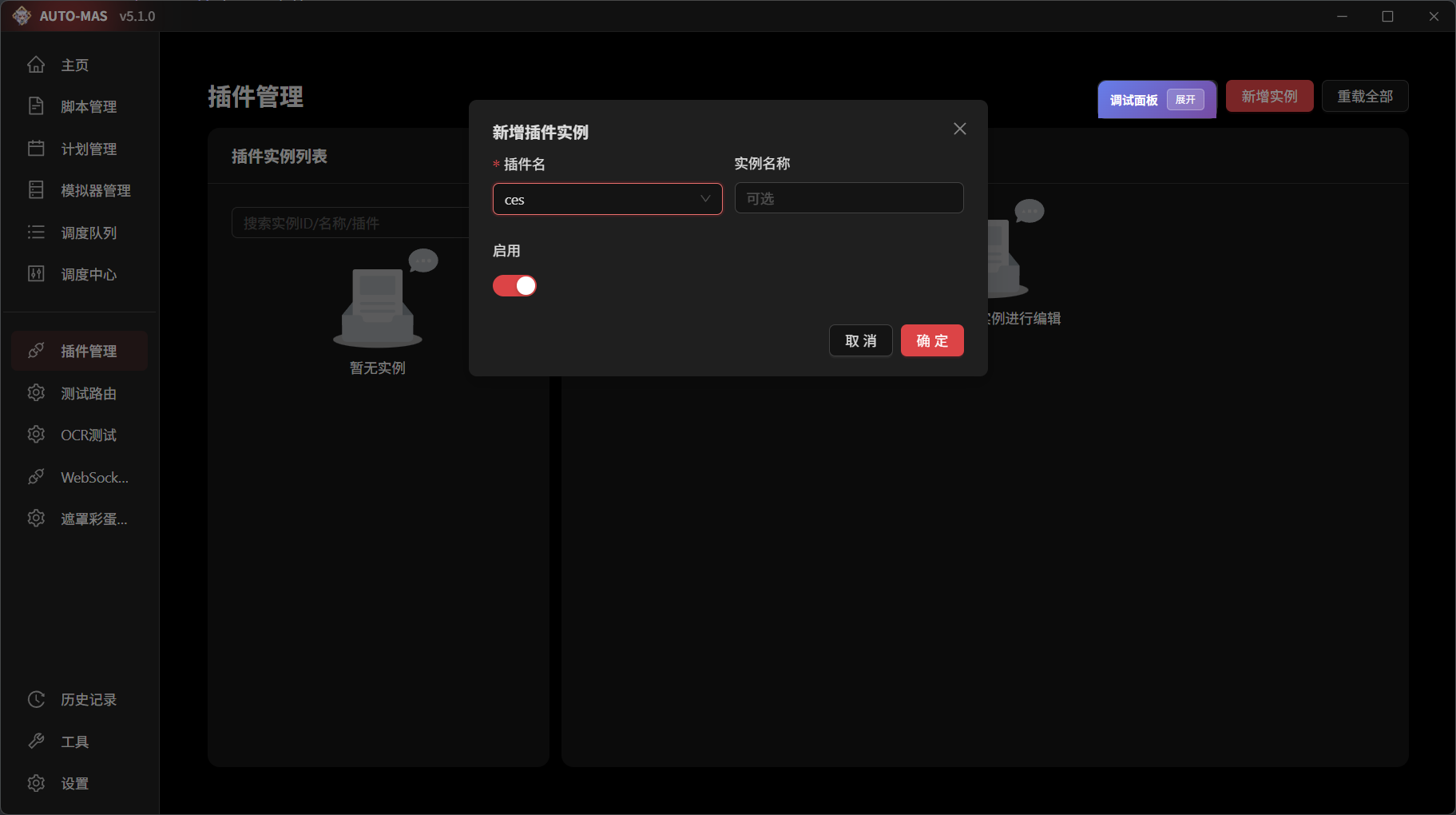
Go to Plugin Management, add an instance, select the ces plugin, and enable it. Check the backend logs. You should see logs similar to:
| INFO     | Plugin loader | Plugin scan complete, found 1 plugin
| INFO     | Plugin:ces:e4fb6 | [ces] plugin started
| INFO     | Plugin:ces:e4fb6 | hello=world
| INFO     | Plugin loader | Plugin instance activated: ces:e4fb6 (ces)
The plugin is now loaded successfully.
Add Dependencies
WARNING
Dependency handling and isolation are still under development and may still have reload bugs or interpreter exceptions.
Currently, all dependencies are installed into the interpreter used by MAS. This means developers using ctx.runtime cannot install dependencies into their own virtual environment yet.
Plugins using the main program interpreter must maintain their own library dependencies carefully to avoid conflicts with main program libraries.
Return to pyproject.toml:
[project]
name = "automas_plugin_ces"
version = "0.1.0"
description = "meow"
readme = { file = "README.md", content-type = "text/markdown" }
requires-python = ">=3.10"
dependencies = ["pydantic>=2.0"]   # Add dependencies here
After adding dependencies, reload the plugin. The backend will automatically download and manage dependencies through pip.
WARNING
If something strange happens, try restarting the backend first.
When dependencies need to be updated, modify them and reload the plugin.
Further Development
WARNING
If you want to contribute to the original repository, make sure you have write permission for the target repository before following the steps below.
If you do not, create your own fork first, then replace the repository name below with your fork repository name.
When you need to develop a plugin created by another developer, clone its source code into the plugins folder as usual:
cd plugins
git clone ......